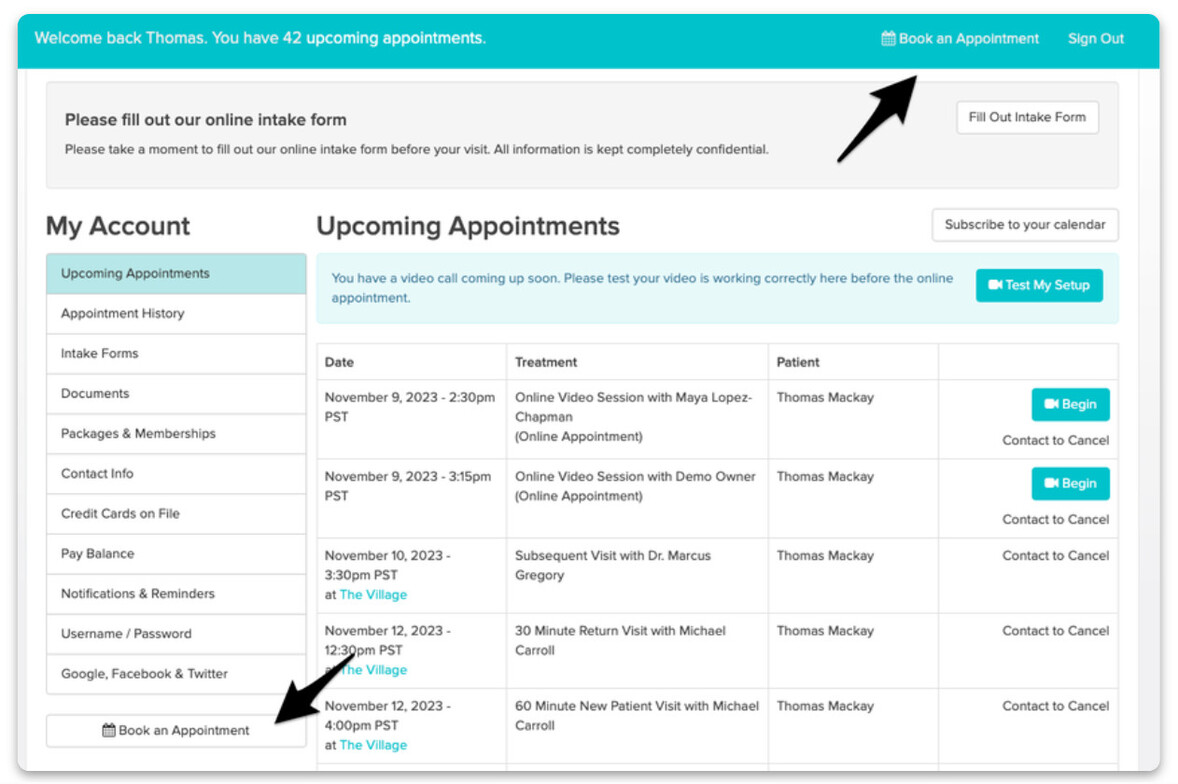
You have access to a secure patient portal through Jane called My Account. You can set up your patient account when you complete the Online Booking process or when you receive your Welcome Email. If you visit other clinics that use Jane, you will have a separate My Account for each clinic.

Upcoming Appointments
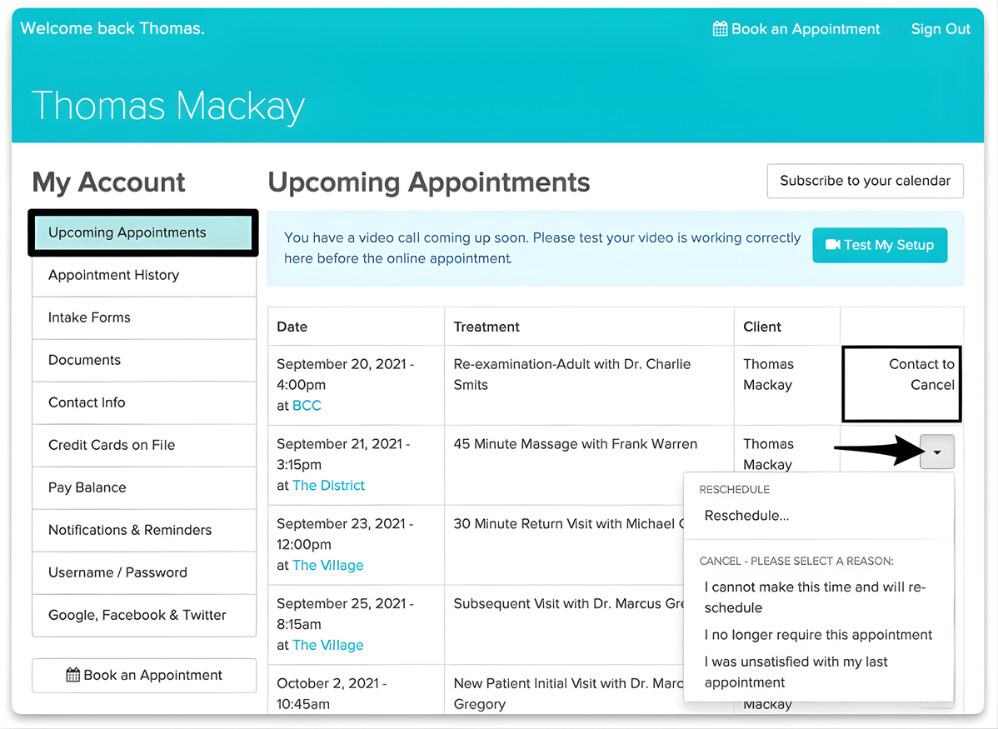
Clients can view and manage their upcoming appointments, as well as join their online appointments from here. If a clinic has allowed it in their Settings, patients can cancel or reschedule their appointment as needed. Jane will display any appointments within the clinic’s cancellation period as “Contact to Cancel” to avoid any surprises. No matter the clinic’s cancellation policy, all appointments can be cancelled online within 3 minutes of booking to allow for errors.
Intake Forms
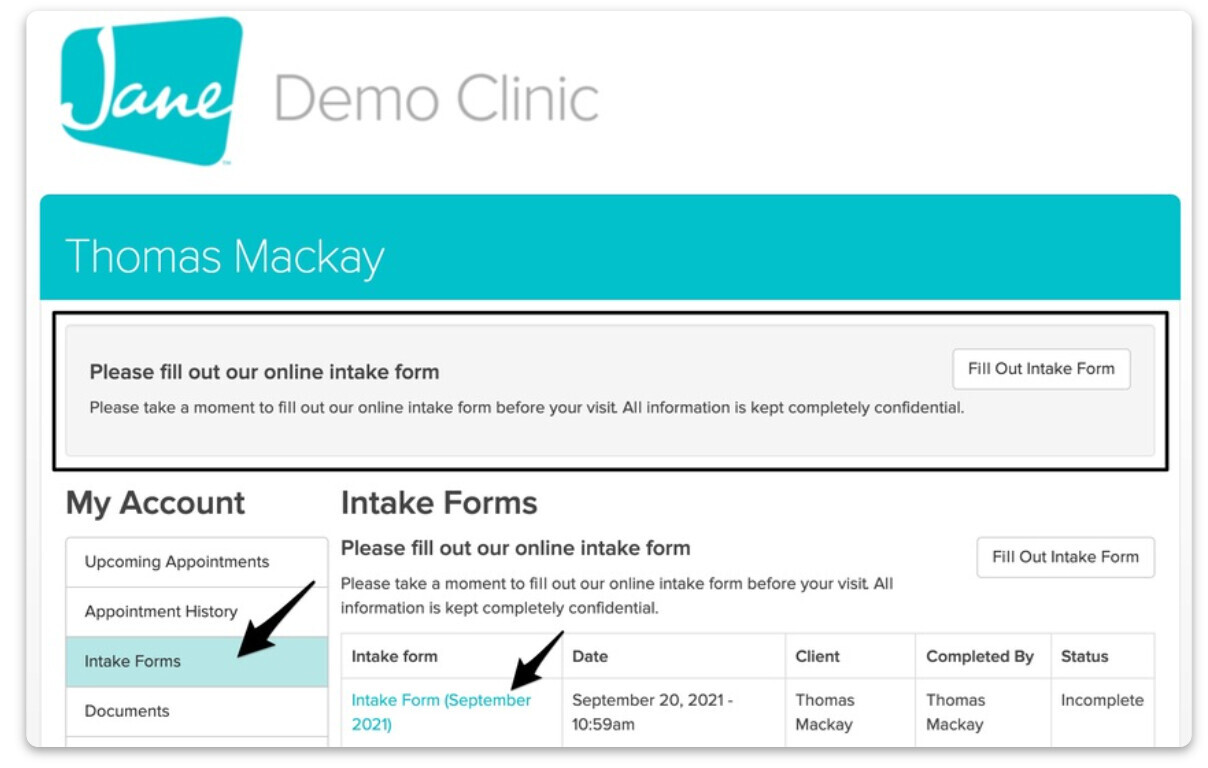
If there are Intake Forms to be completed, they’ll be available here. Clients will also see a banner running across the top of their My Account page prompting them to fill out their form, or they can click into the Intake Form tab.
Documents
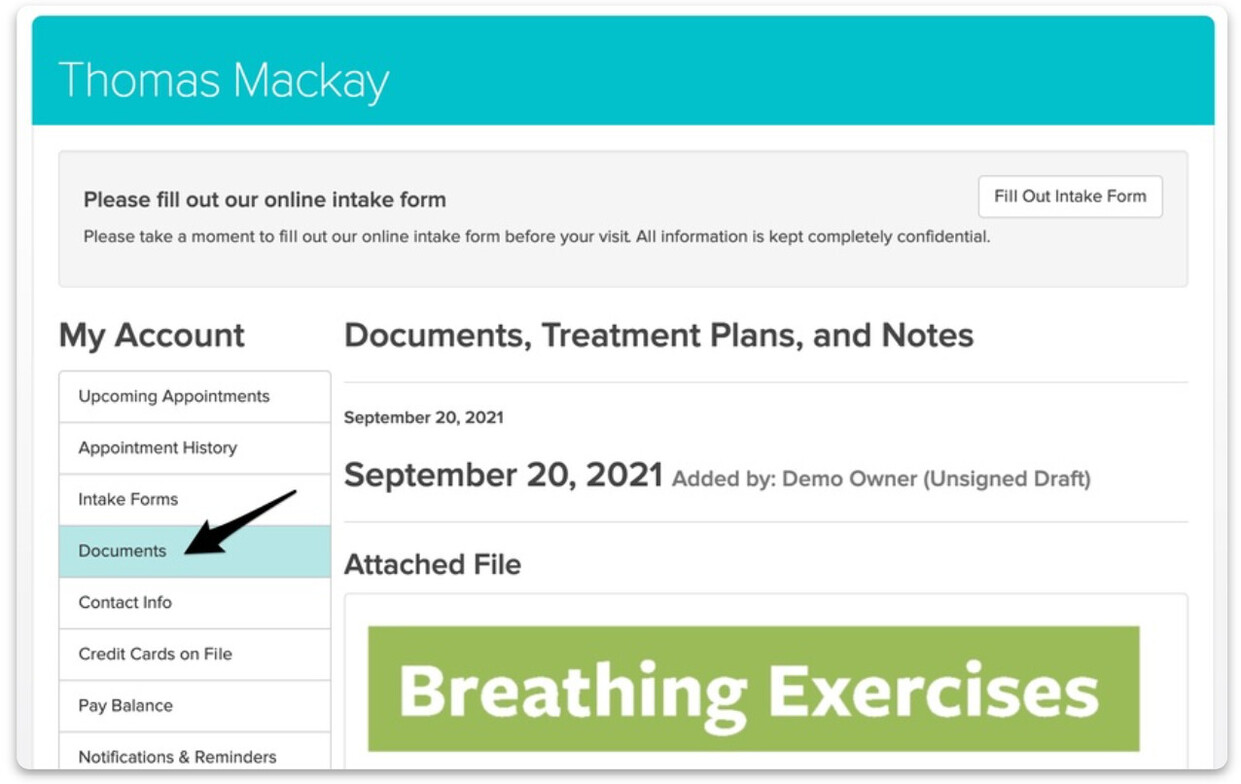
Clinics can share chart entries and files with clients and those documents will show up here. This can be especially helpful for things like exercise programs, progress reports, or treatment plans.
Contact Info
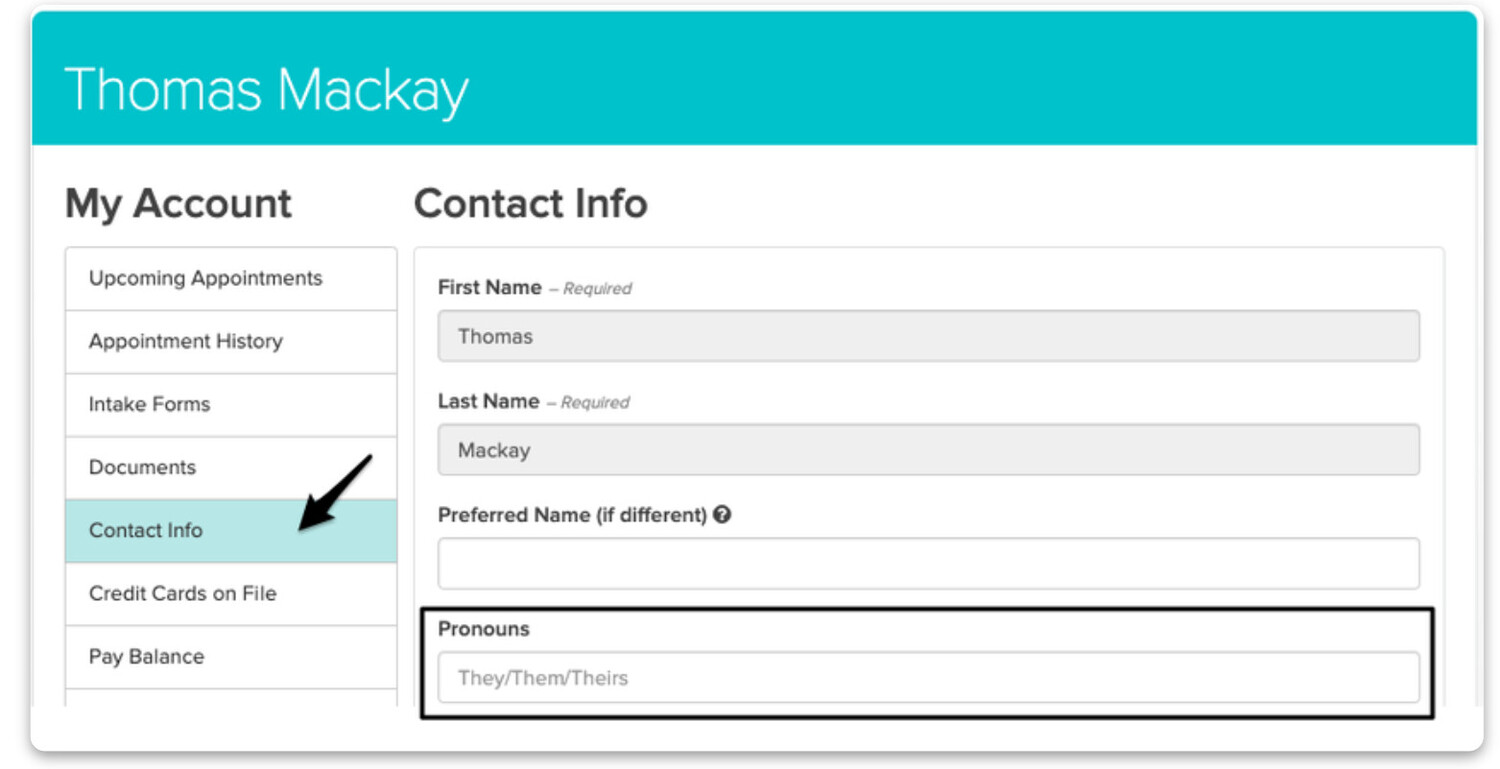
Clients can update their contact info here, as well as choose to opt-in to marketing emails. The information they add here will be reflected in their Client Profile on the clinic’s end. It’s important to note that the option to add or update Pronouns will only appear if this setting has been enabled on the clinic’s administrative side of Jane. Clinics can find this setting by heading to Settings > Clinic Info & Locations > Client Pronouns.
Add a Credit Card from the Client My Account Portal
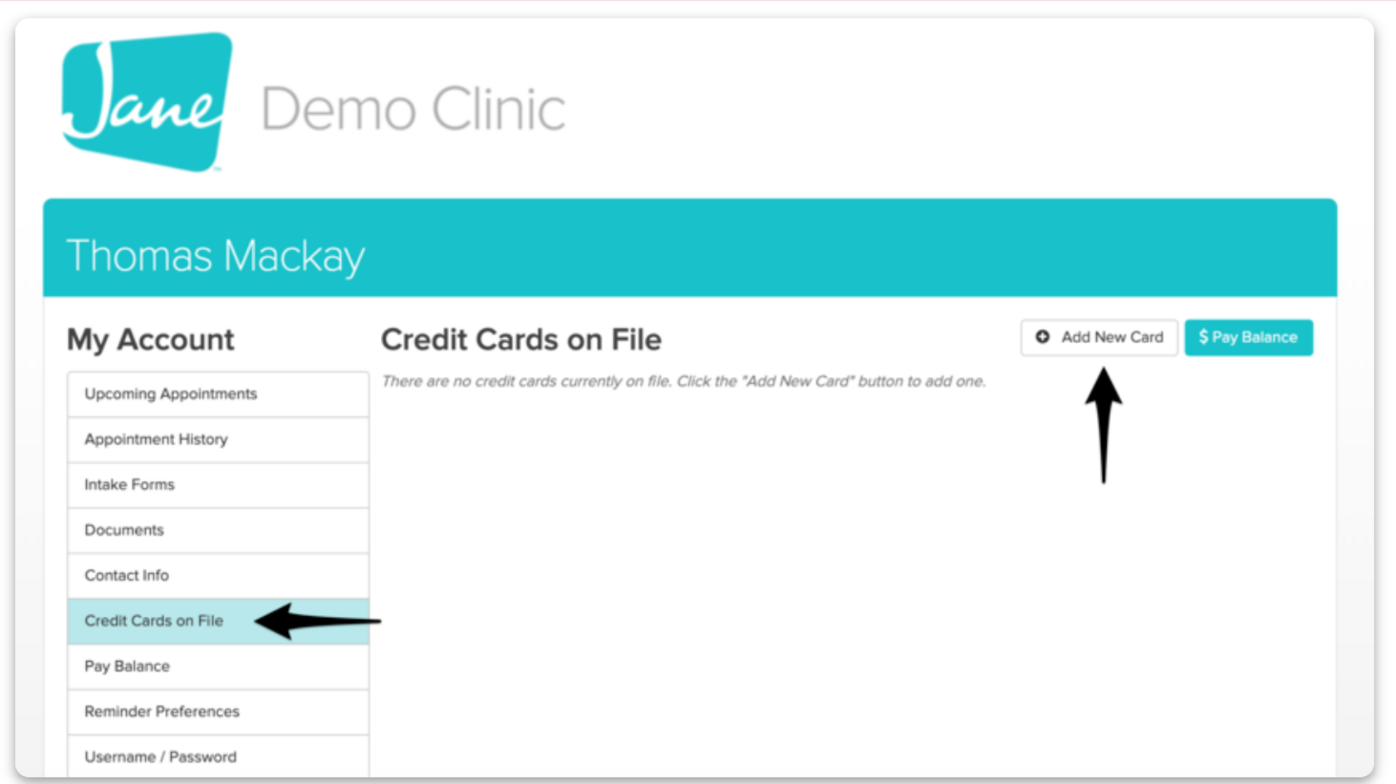
Once they’ve logged in, patients can navigate to the Credit Cards on File area, followed by the Add New Card button.
When you’re all done, click Save Credit Card.
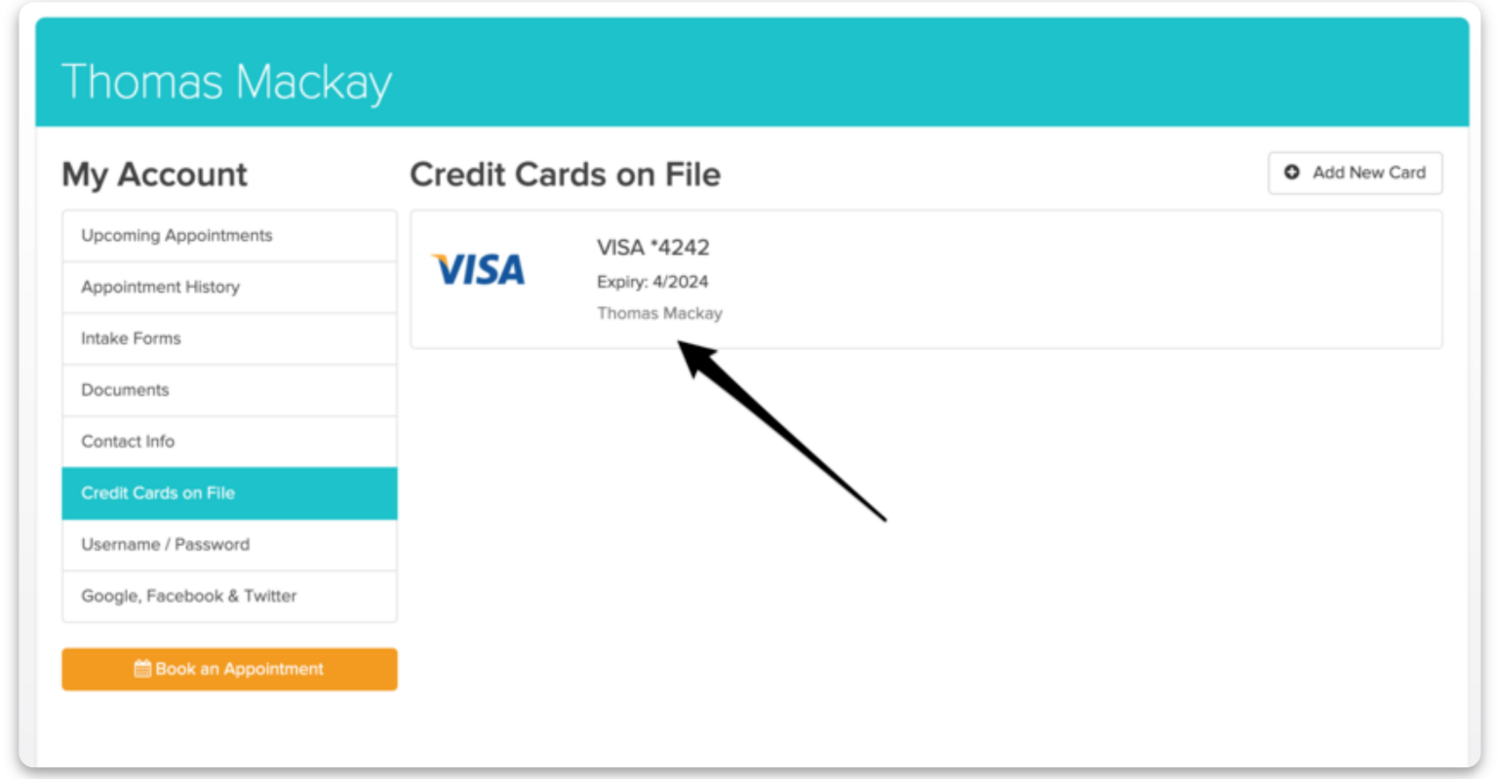
Click the Add New Card button to provide your credit card information. You’ll need to provide: Credit card number, Expiration date, Security Code, Country Postal code (Canada) or Zip code (USA)
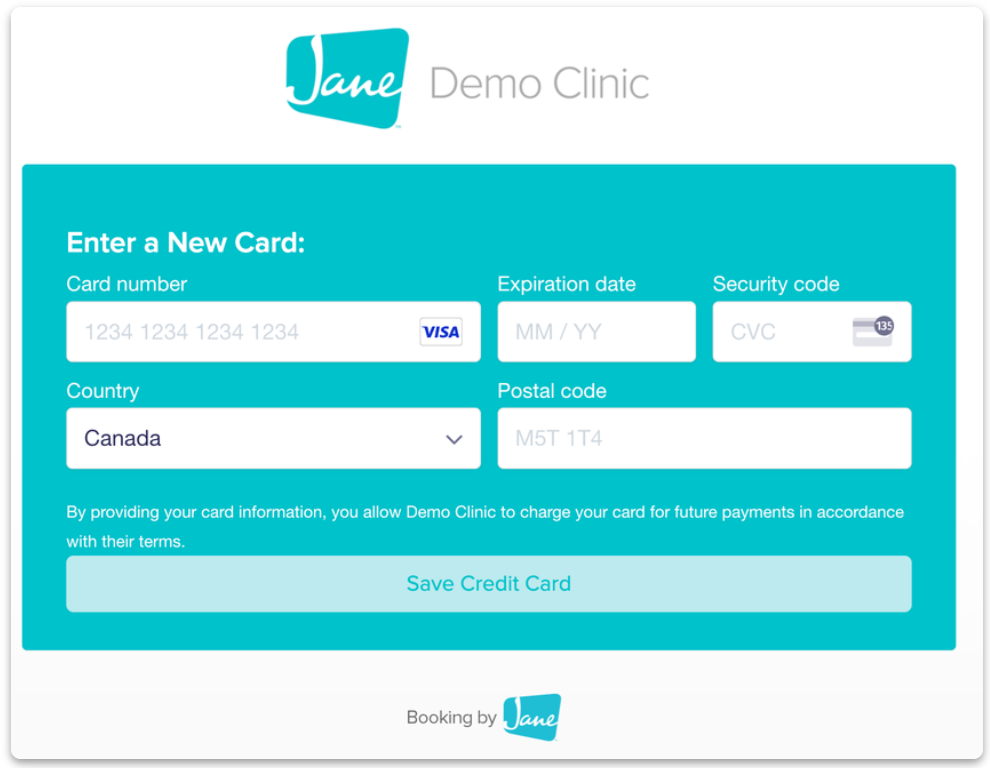
When you’re all done, click Save Credit Card.
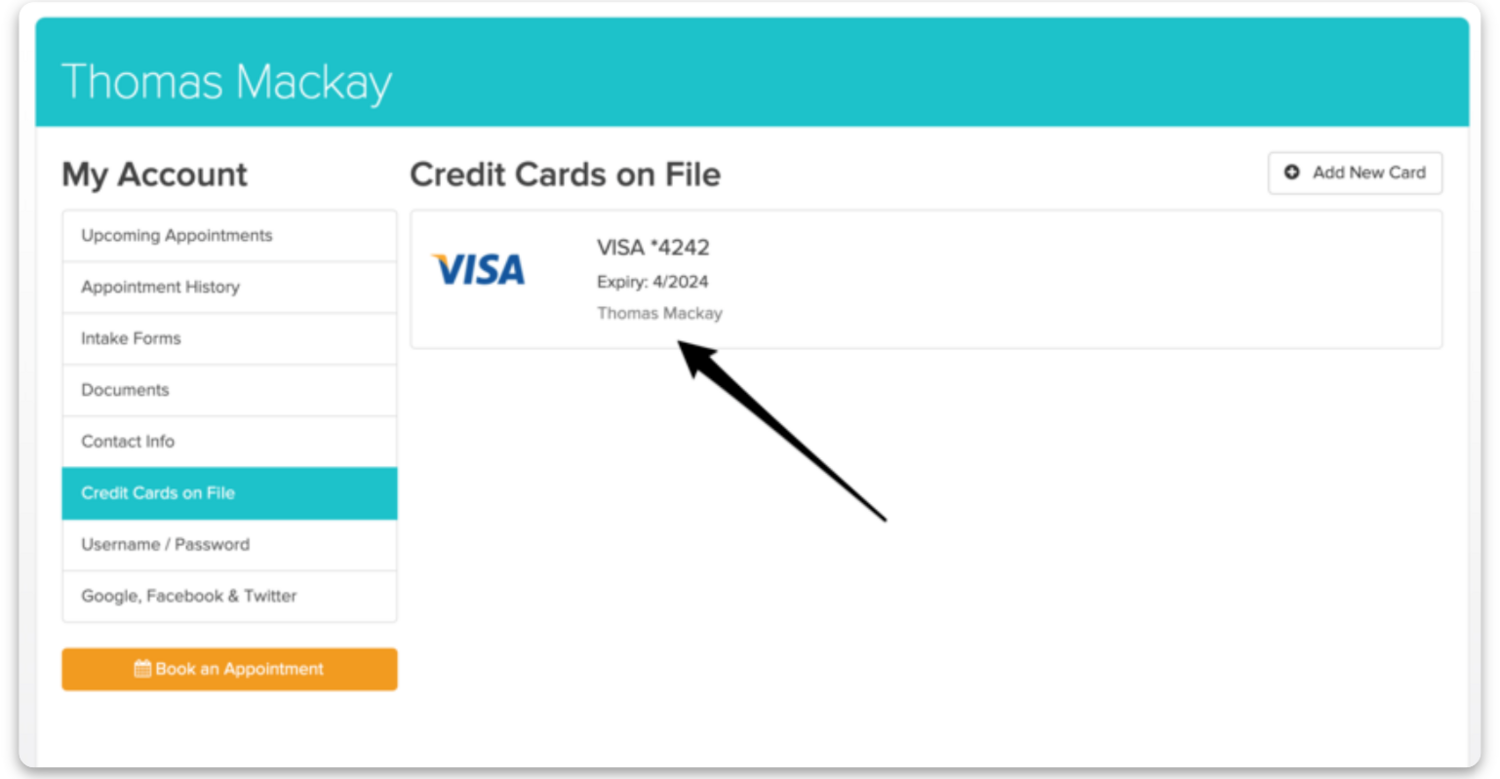
And that’s it! If you check the Credit Cards on File area again, you’ll see the card that was added. This card can then be charged by the practitioner before or after an online or in-person treatment. Patients will be notified to enter a new credit card number if their credit card expires or needs updating. Jane uses PCI-compliant credit card processors to store sensitive credit card data.
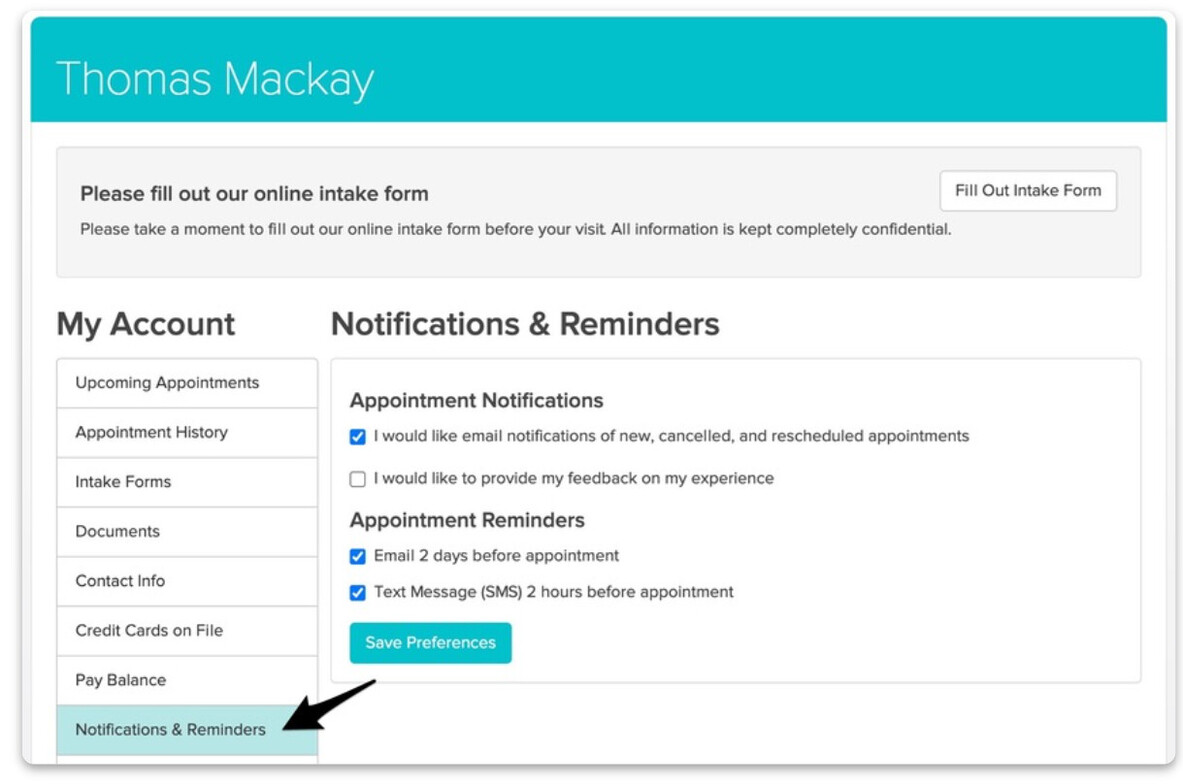
Notifications & Reminders
Clients can manage how they’d like to receive those here.
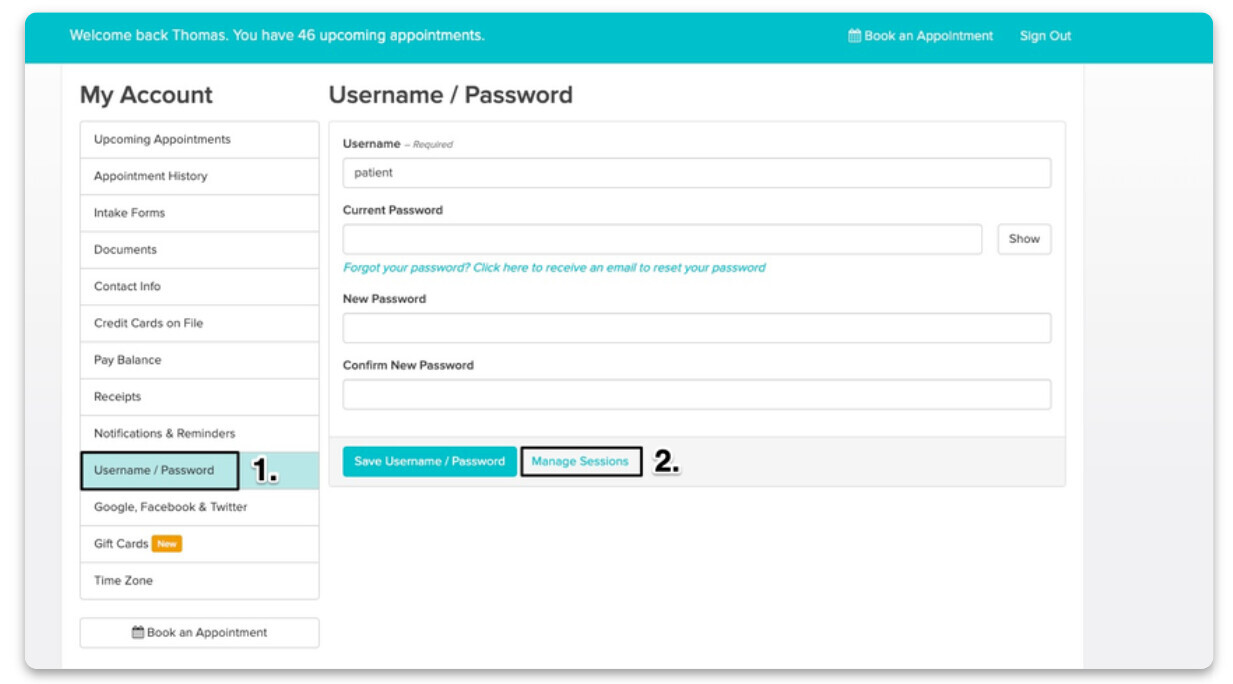
Username/Password
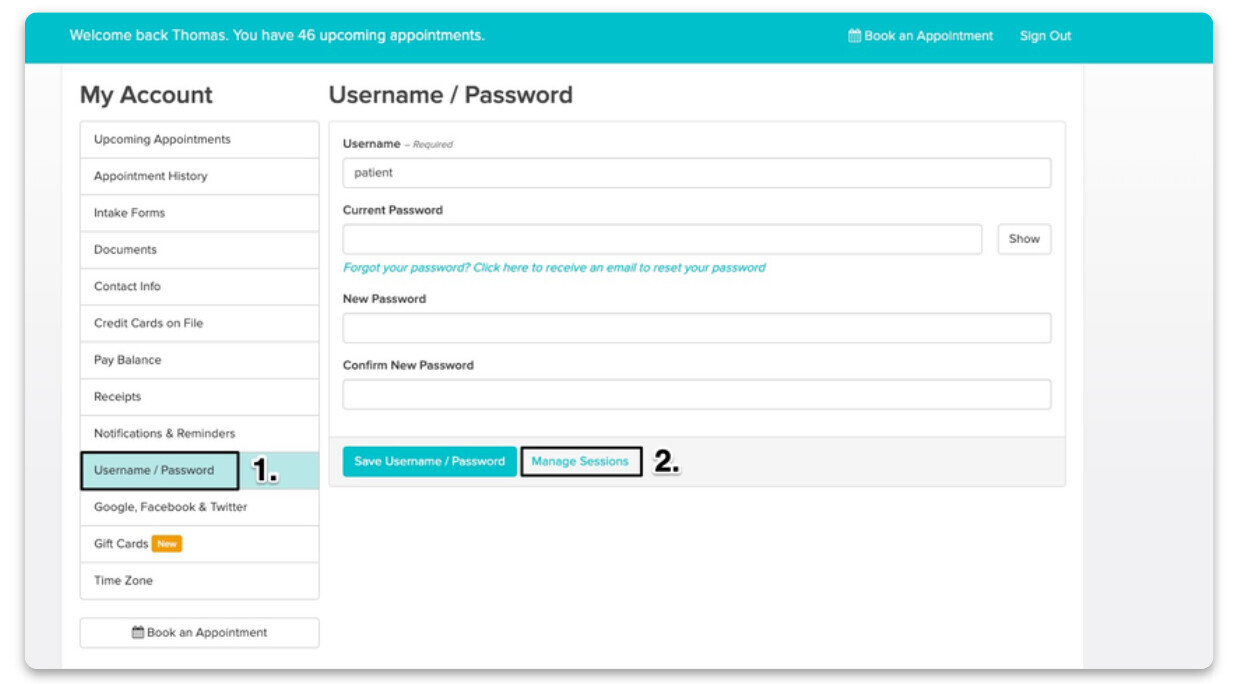
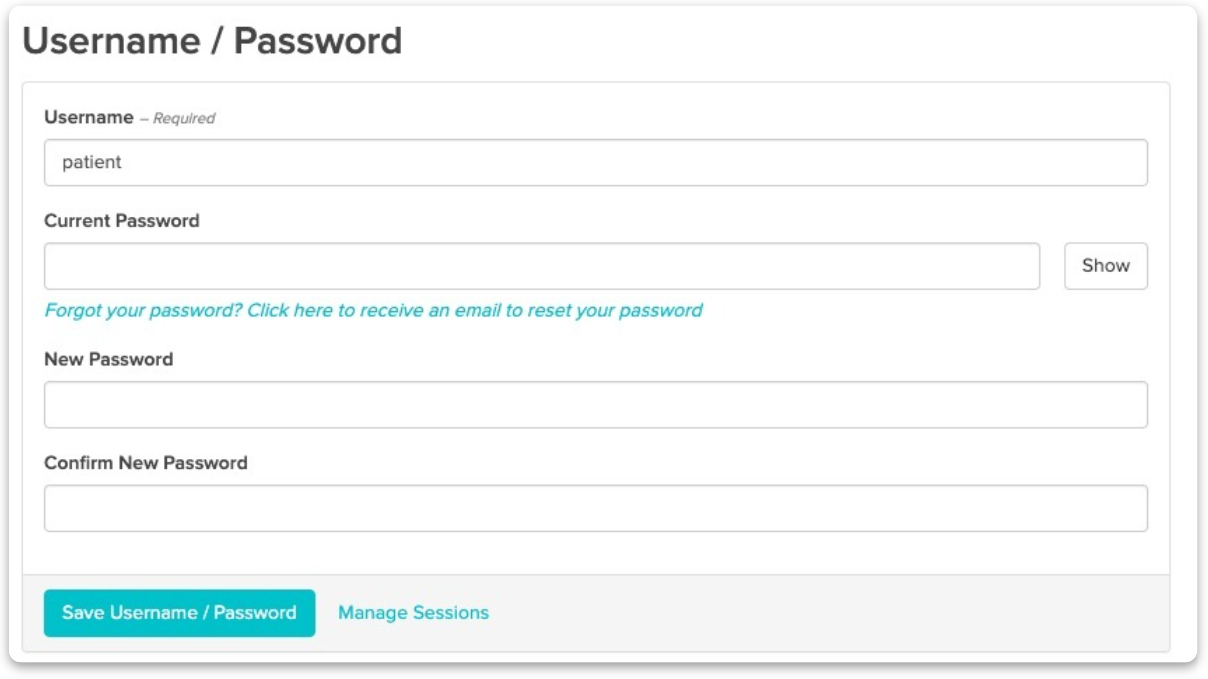
In this section, clients can update their username and password.
Viewing Active Sessions
To start, the patient will want to ensure that they’re logged into their Jane account. Next, they’ll click on Username/Password within the left sidebar menu and then on the blue Manage Sessions text.
Jane will break down the following details of when they logged into their account:
- The status of the session - Current, Active and Ended
- The date they signed in and when that same login session (i.e. tab or browser window) was last used
- How they signed in
- Which Browser they signed in from
- The Operating System on the device they used to sign in (i.e. Macintosh, Windows, Linux etc)
- The IP Address
They’ll also have the option of ending all the sessions at once using the End All Sessions button at the top right. Alternatively, they can select End Session for an individual session on the right.